
Download for Windows
iCard for Windows
Change the design of your Apple Wallet cards from your PC.
Download iCard for Windows 7.7 MBHave a Mac? Download iCard for Mac →
You need
- Windows 10 or 11 (64-bit)
- iTunes installed (get it from Apple)
- Your iPhone and a data cable


Don’t update to iOS 27.2 beta 3 or later: iCard stops working there.

Install
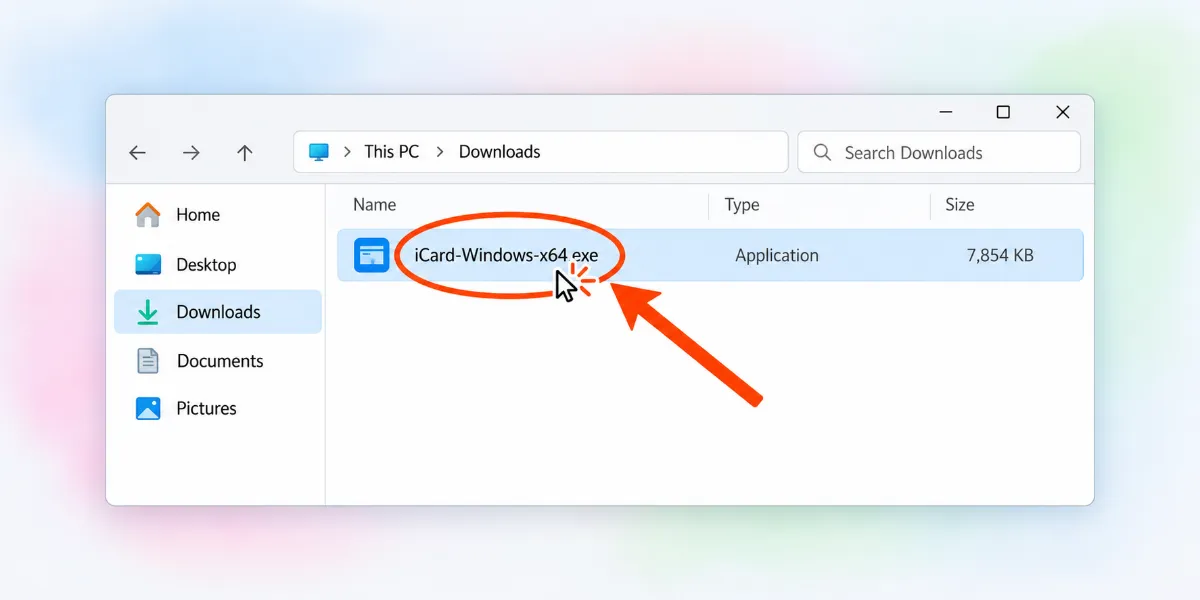
Download the file and double-click it.
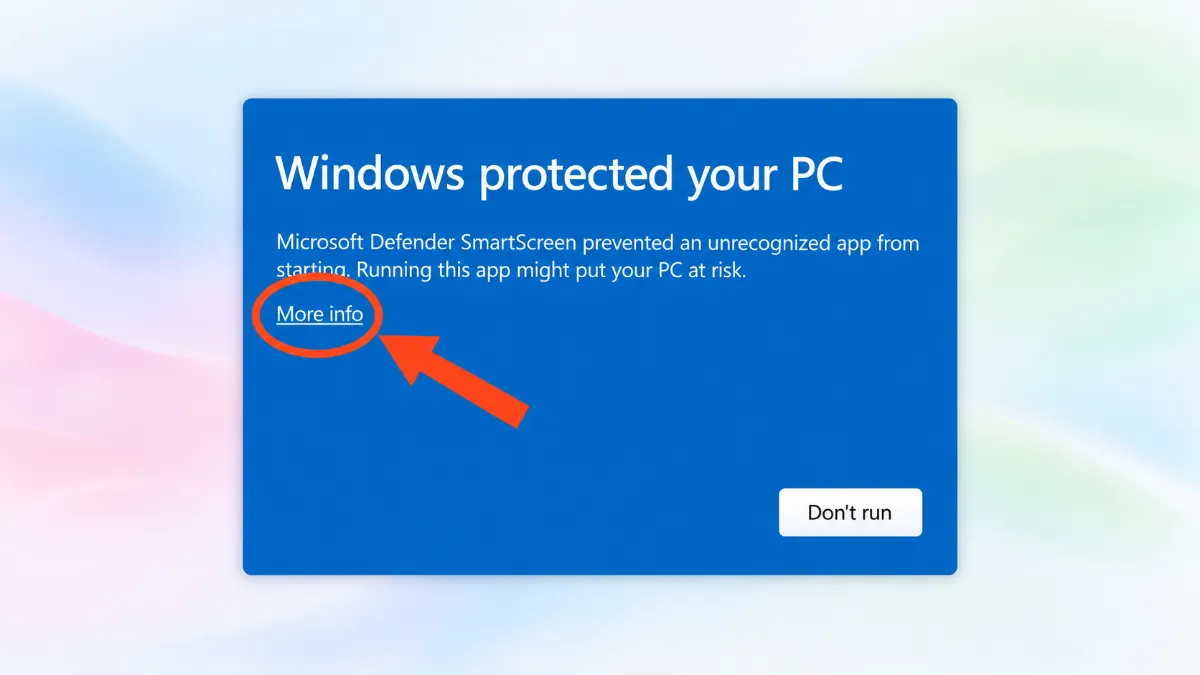
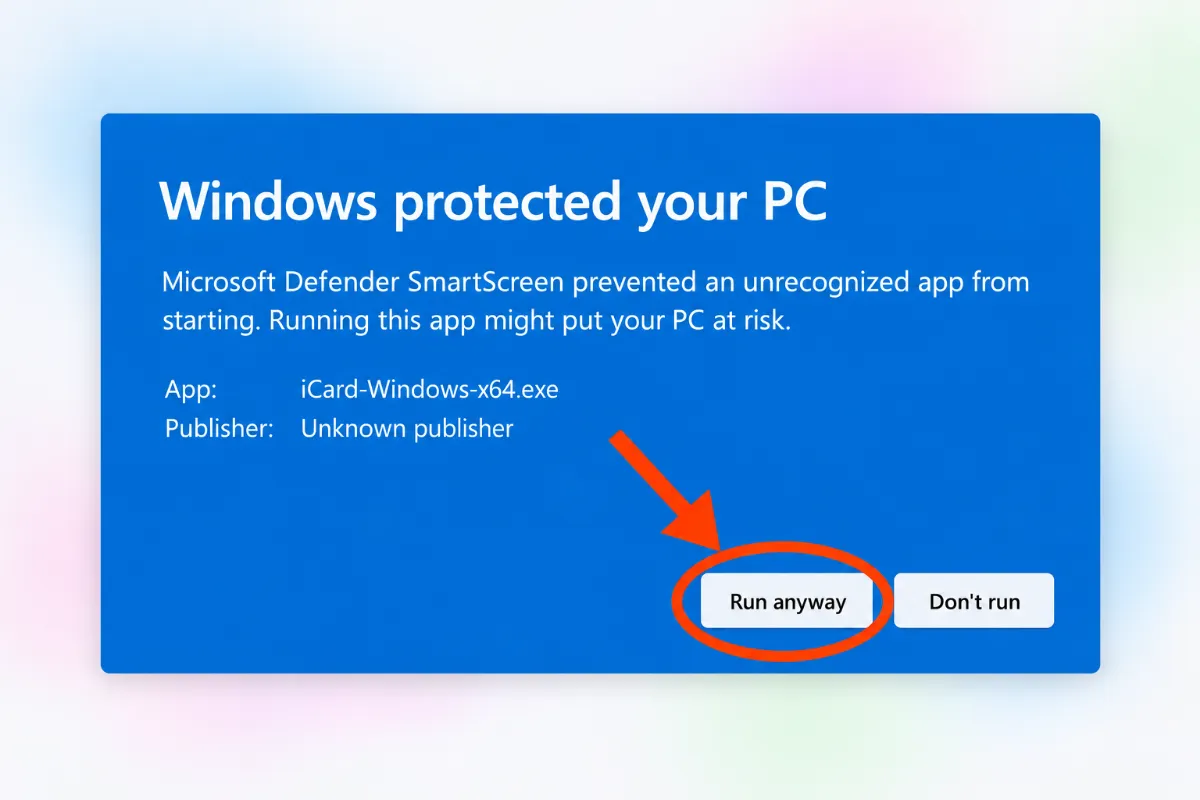
If a blue warning appears, click “More info” → “Run anyway”.
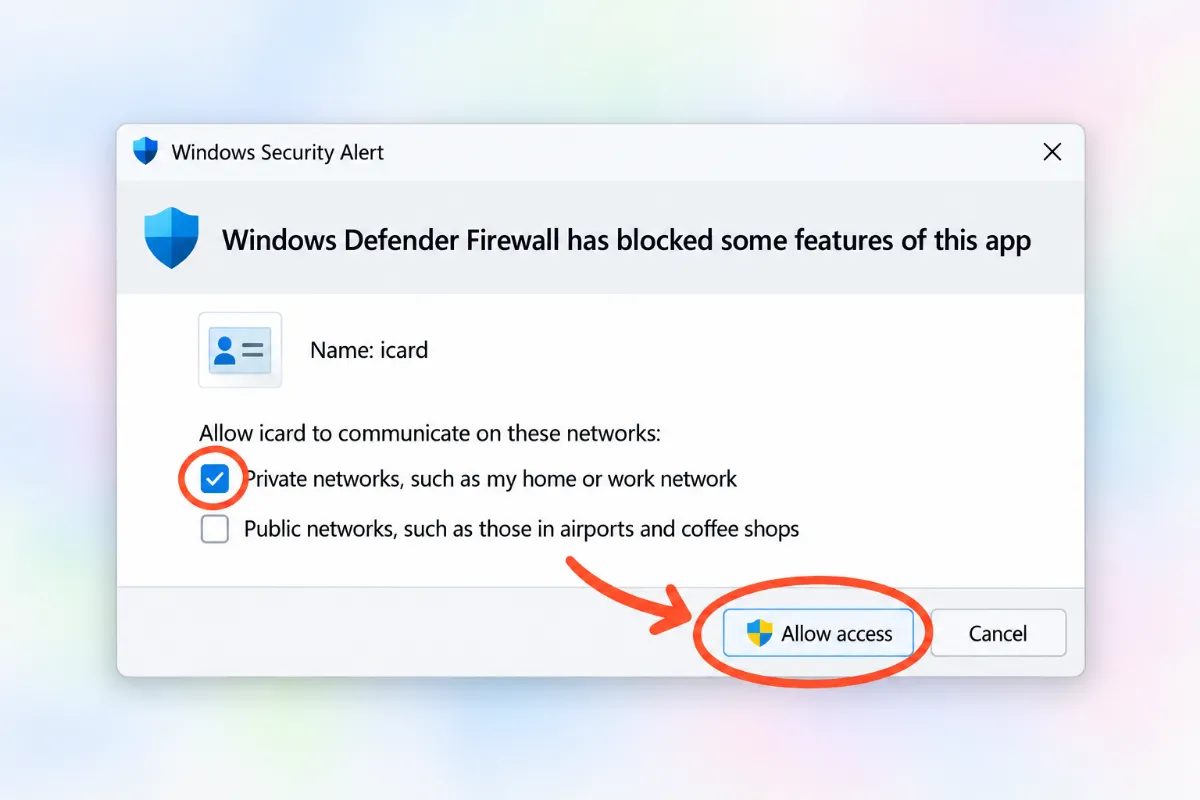
If it asks for network access, click “Allow access”.
Use
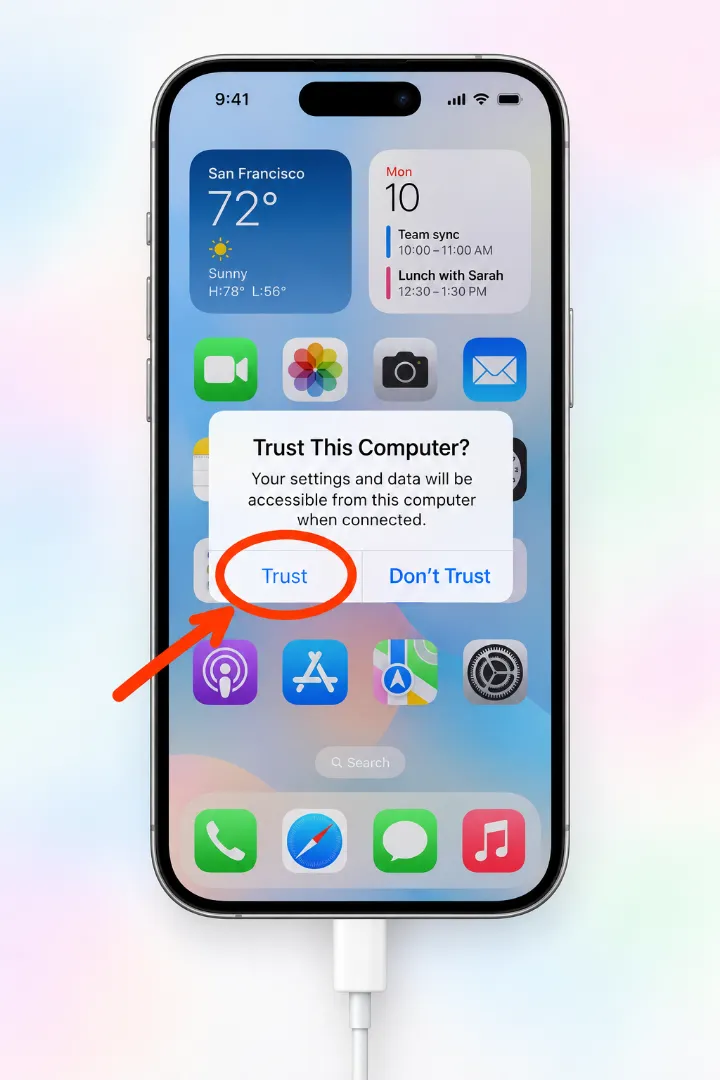
Connect your iPhone with the cable, unlock it and tap “Trust”.
Open iCard, enter your license code and click “Activate”.
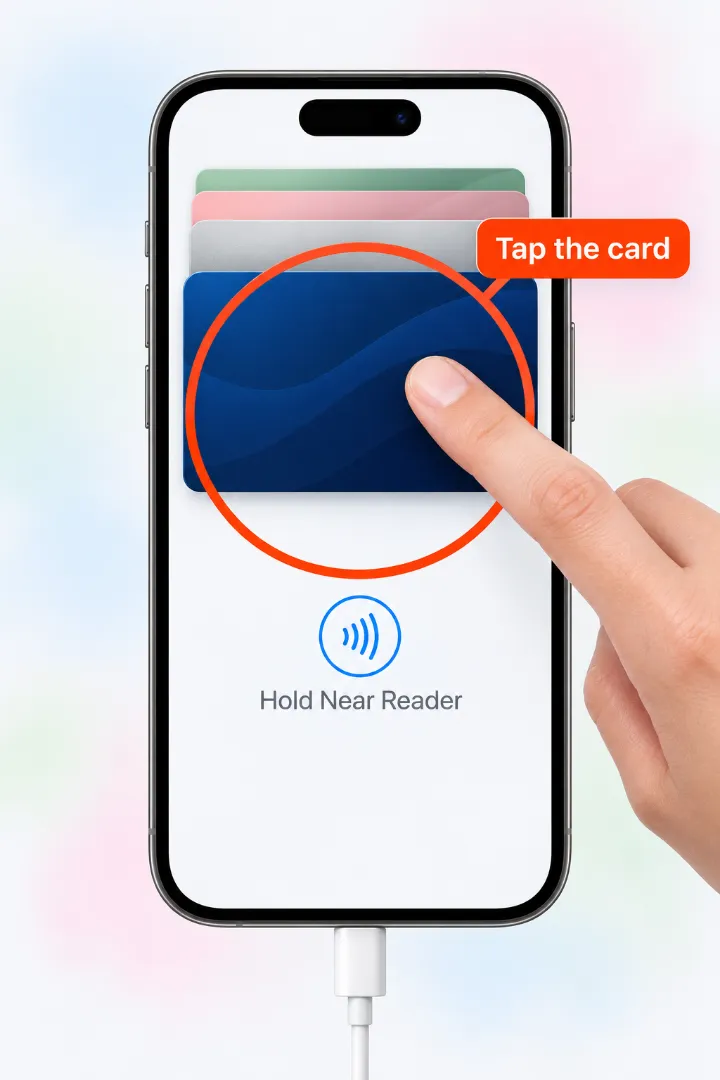
Click “Scan”, then tap your card in Wallet on your iPhone.
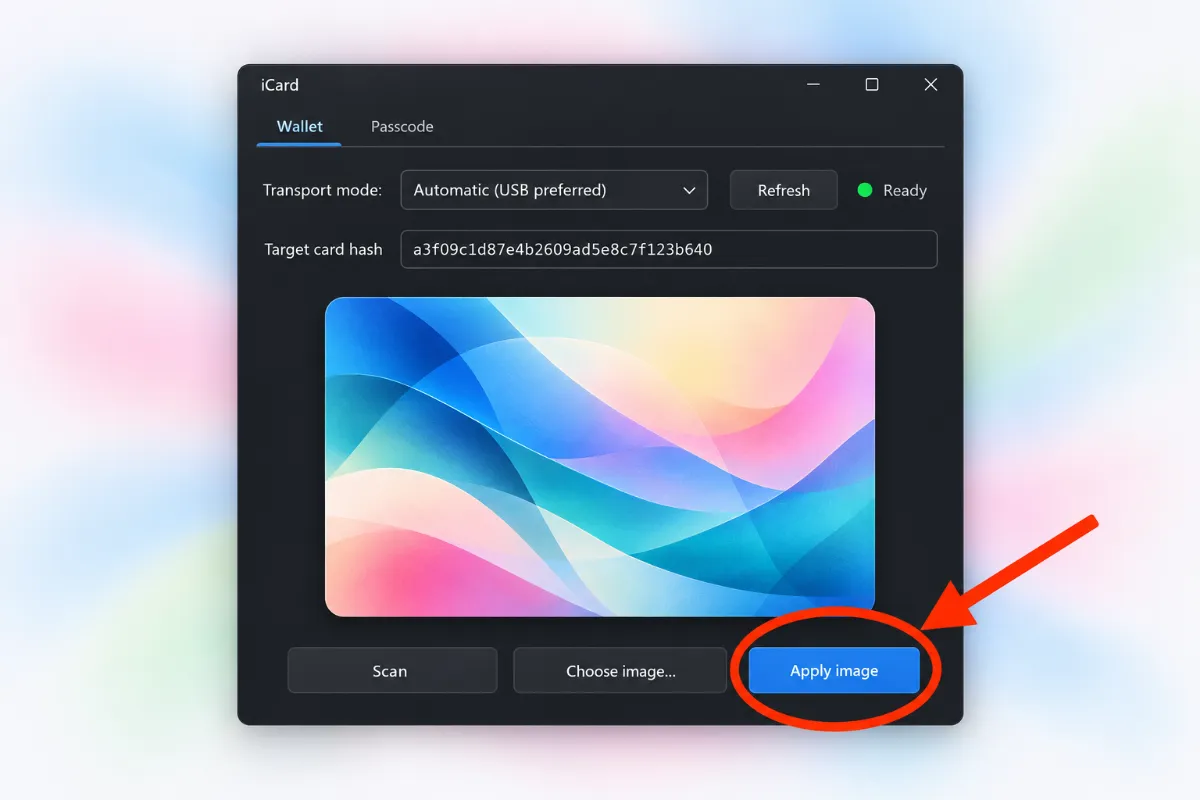
Click “Choose image…”, pick your photo and click “Apply image”.
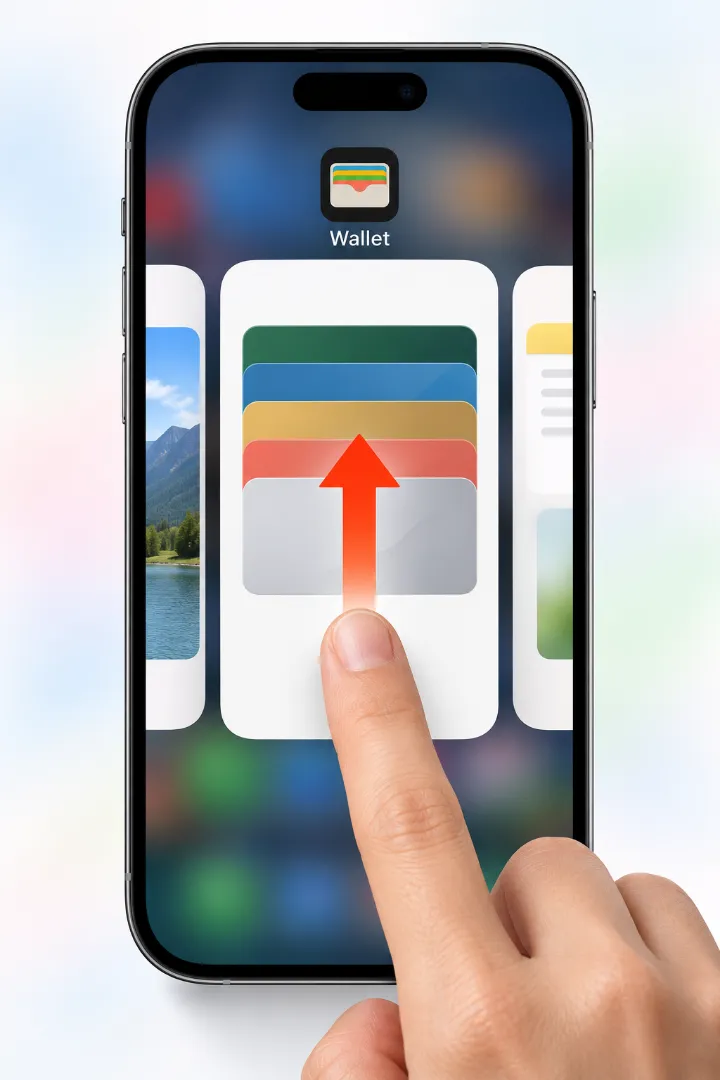
Close Wallet on your iPhone (swipe it up) and open it again.
Something not working?
It can’t find my iPhone
Unlock your iPhone, tap “Trust” and use a data cable (the original is best).
Make sure iTunes is installed, restart your PC and click “Refresh”.
The app won’t open
Blue warning: click “More info” → “Run anyway”.
If the file disappeared, your antivirus blocked it: Windows Security → Protection history → “Allow on device”.
The card still looks the same
Fully close Wallet and open it again. If nothing changes, restart your iPhone.
Apple Card can’t be changed.
The download won’t start
Try another browser. If it warns the file “may be dangerous”, choose “Keep”.